GiggleDeck Review: One Keyword In, a Complete Print-Ready Kids Joke Book Out — Without the Five-Hour Afternoon
A browser-based tool that plans, styles and assembles a 24–60 page kids joke and activity book for Amazon KDP. Here is exactly what it does, what it refuses to do, and why the $17 launch price disappears on 26 September 2026.

⭐ Key Takeaways
- GiggleDeck is a tool, not a course. You type one keyword; it writes all 35 prompts, locks the illustration style, and builds two KDP-ready PDFs in your own browser.
- It solves the real bottleneck — page planning, style consistency and print geometry — not the joke writing, which takes ten seconds anyway.
- $17 one-time at launch (regular $47). Launch closes 26 September 2026.
- Four OTOs follow checkout ($37, $47, $67, $97) — all optional.
- Two free bonus apps — PinPress AI ($14.94) and Lullabet ($9.95) — included until the launch closes.
- All sales are final, with one honest exception: if it will not run in your browser, the vendor fixes it or refunds you.
- Best for: existing KDP publishers and low-content sellers who already have ChatGPT with image generation.
⚡ Quick Answer (What Is GiggleDeck?)
GiggleDeck is a browser-based book-building tool for self-publishers. You enter one keyword — for example dinosaurs — and it plans a 24–60 page kids joke and activity book, writes all 35 ChatGPT prompts for you, locks the art style so every page matches, and assembles the finished pages into print-ready interior and cover PDFs sized for Amazon KDP. It costs a one-time $17 at launch, includes a commercial licence, and needs your own ChatGPT account with image generation.
What This Review Covers
📖 Introduction: The Jokes Were Never the Hard Part
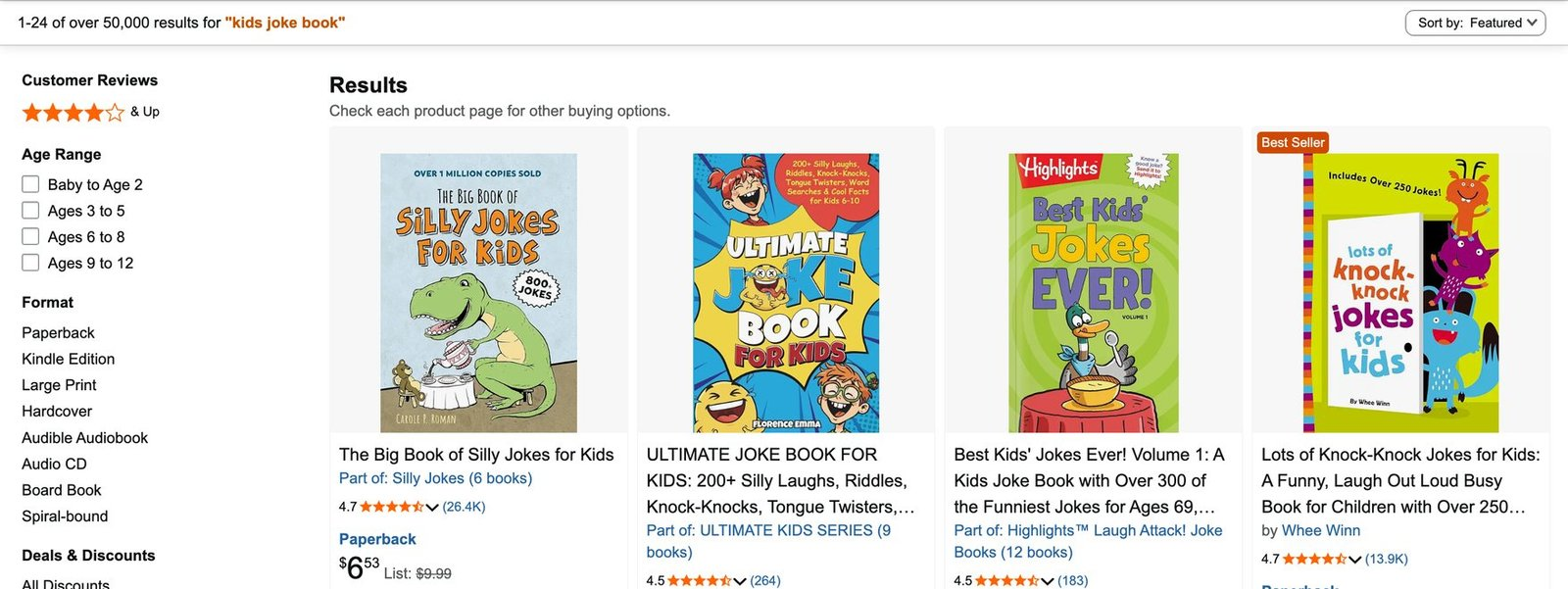
Here is a scenario every self-publisher knows. You open ChatGPT and ask for fifty dinosaur jokes. Ten seconds later, you have them. You feel productive. Then you open a blank document to turn them into an actual book — and the afternoon disappears.
Because the jokes were never the hard part. The hard part is deciding which joke goes on page 8 and which one anchors the knock-knock section near the back. It is keeping page 30 looking like page 1 when the chat has quietly forgotten the art style you agreed on forty minutes ago. It is laying text onto thirty illustrations in Canva, one at a time. And it is working out a spine width to four decimal places that Amazon KDP will accept instead of rejecting your cover for the third time.
None of that is writing. All of it is work — and it is why a book that takes ten seconds to draft takes five hours to publish.
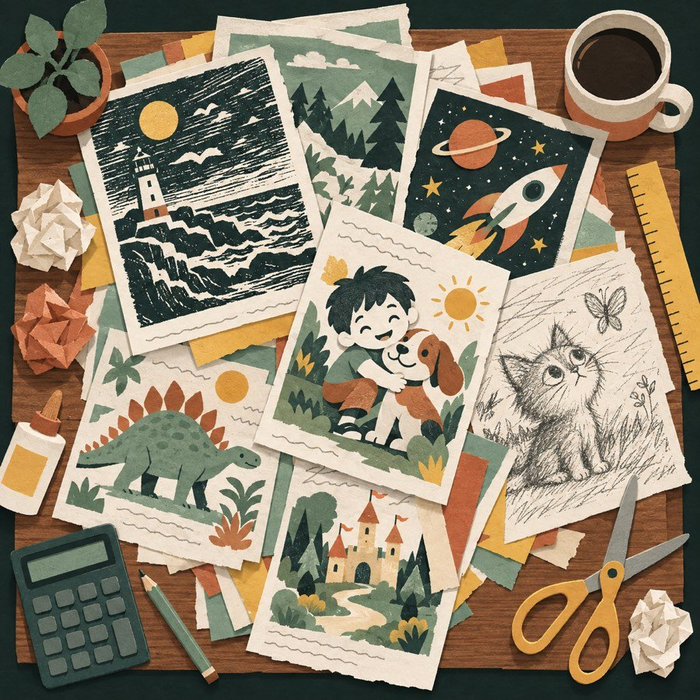
GiggleDeck attacks exactly that afternoon. It is a browser-based tool from Leo Sterling that takes one keyword and produces a complete kids joke and activity book — the page plan, the jokes, all 35 prompts, the style lock and two print-ready PDFs at KDP's sizes. Not a course. Not a community. One tool, one job.
Below: what it is, how the workflow runs, its honest limits, the bonuses, the funnel, and who should buy it — and who should keep their $17.
🔎 Overview: A Quick Snapshot
| GiggleDeck At A Glance | |
|---|---|
| Product | GiggleDeck — a browser-based kids joke and activity book builder (web app, no installation) |
| Vendor | PintuBachhar (WarriorPlus) — member since April 2020, 14 products, 2,185+ sales, 5-star across 17 reviews |
| Creator / Support | leo@leosterling.net |
| Front-End Price | $17 one-time during launch week · regular price $47 |
| Coupon | None required — the launch discount applies automatically at checkout. Check the sales page for any vendor coupon before the launch closes. |
| Discount Code for the Bundle | The "bundle" is the launch offer itself: GiggleDeck + PinPress AI + Lullabet (published value $71.89) for one $17 payment. No bundle code needed. |
| Bonus | PinPress AI ($14.94) and Lullabet ($9.95) — free until 26 September 2026. Claim by emailing your WarriorPlus receipt to leo@leosterling.net. |
| Total OTOs | 4 OTOs follow checkout — $37, $47, $67 and $97. None are required: the $17 front-end is the complete tool. |
| Guarantee | All sales are final — one exception: if GiggleDeck will not run in your browser, the vendor will fix it or refund you. WarriorPlus protections still apply. |
| Support | leo@leosterling.net |
| Requirements | Any current desktop browser + your own ChatGPT account with image generation (text-only will not work) |
| Licence | Commercial licence included — publish and sell every book you make. You may not resell or redistribute the app itself. |
| Sales Page | Sold on WarriorPlus — use the access buttons on this page to reach it |
👤 Who Created It? Pintu Bachhar
GiggleDeck is sold on WarriorPlus by Pintu Bachhar (handle PintuBachhar), a vendor based in India and a WarriorPlus member since April 2020 — with 14 products, more than 2,185 sales and a 5-star rating across 17 reviews. The sales page itself is signed by Leo Sterling (leo@leosterling.net), the developer behind the two bundled apps, PinPress AI and Lullabet.

What stands out is not a list of credentials. It is how the sales page is written. Sterling spends an entire section on what GiggleDeck does not do — it will not write or draw by itself, it is not a layout tool, it will not submit to KDP. He states plainly that all sales are final and explains why. And he says, more than once, that he would rather talk you out of a bad fit than take a payment you regret.
That candour is a credibility signal in a market where the default is hype. Two caveats: the market data on the sales page — 50,000+ competing titles, a 4.7/5 median rating, 2,450 median reviews on page one — was read from a public Amazon search on 21 September 2026 and has drifted since; and WarriorPlus has a mixed reputation for vendor accountability, mitigated here by a named vendor, a public support email and a narrow promise.
🧩 What Is It?
GiggleDeck is a browser-based book compiler for one specific kind of book: kids joke and activity books. You give it a keyword; it gives you a finished, print-ready book — planned, prompted and assembled — to upload to Amazon KDP, sell as an Etsy printable, or hand to a client.
Concretely, five parts work together:
- The page planner ("the deck") — decides every page before you send a message: which jokes, on which page, where activities and answers land, plus front matter and a write-your-own page.
- The 35-Prompt Compiler — writes all 35 prompts for you: for a 30-page book, 3 content prompts, 1 style anchor, 30 page prompts and 1 cover prompt. The words are done before you start.
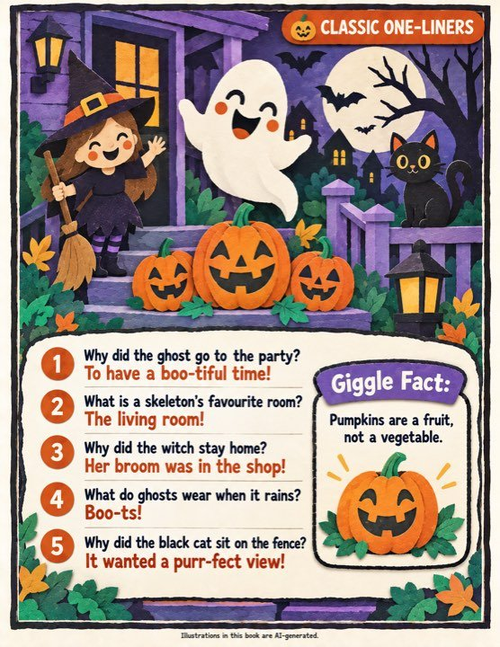
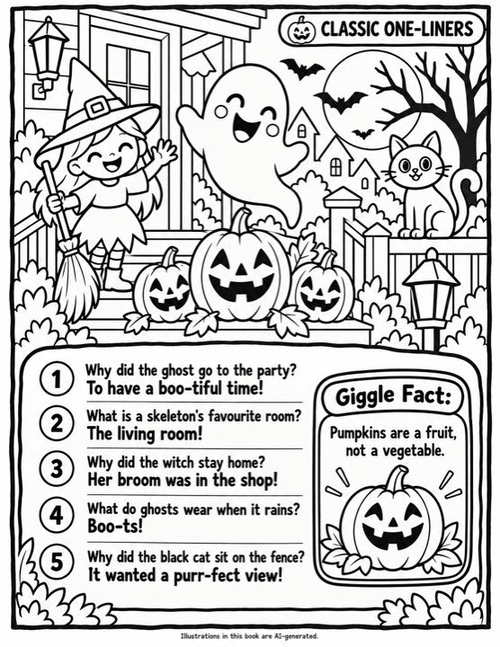
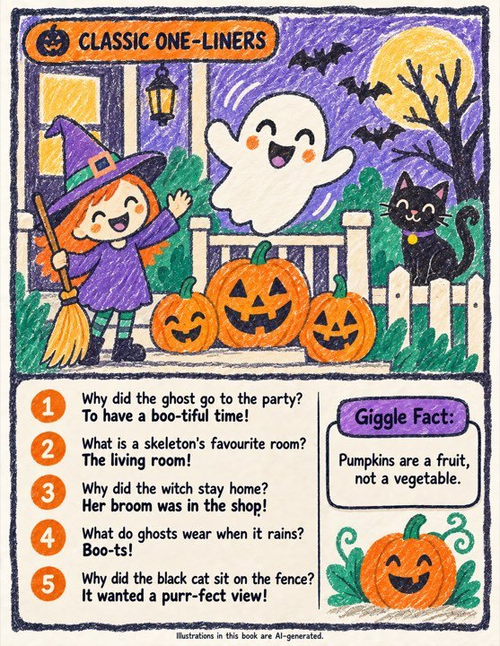
- The Five-Colour Lock — the mechanism that stops style drift. Five exact hex values, art direction, line weight, border rule and lettering placement are written out in full into every one of the 35 prompts — the actual values, again and again.
- The image queue — keeps your place across 30+ pages, marks each one done and tells you what to send next.
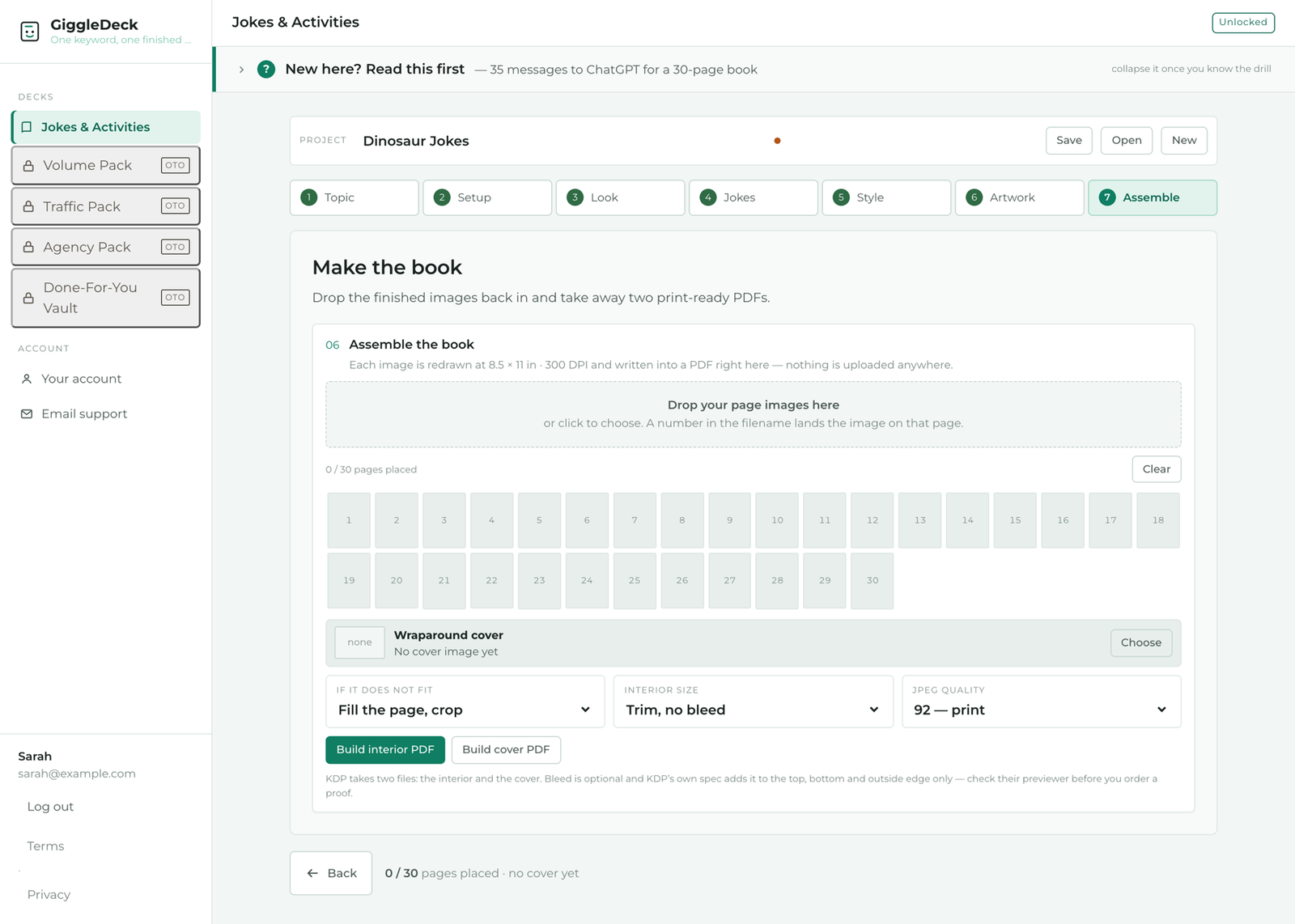
- The PDF assembler — builds an interior PDF at 300 DPI and a wraparound cover at KDP's size, spine computed from your page count. Both happen inside your own browser.
The problem it solves is specific: most publishers in this niche can already generate content, but cannot quickly turn it into a consistent, print-valid book. GiggleDeck removes the deciding, the re-explaining and the print geometry.
Just as important is what it is not: not AI software that writes and draws by itself — ChatGPT does that, in your account, on your plan — and not a course, a community or a layout tool. It has no API key, no credits and no per-book charges, because it never sends your work anywhere: your artwork is processed in your own browser and only the book plan is saved to your account.
✨ Features And Benefits
Each feature paired with the benefit it produces — a feature list alone tells you nothing about your afternoon.
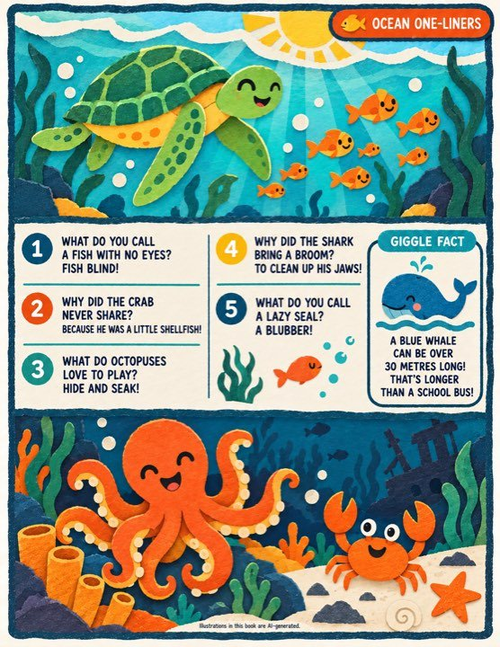
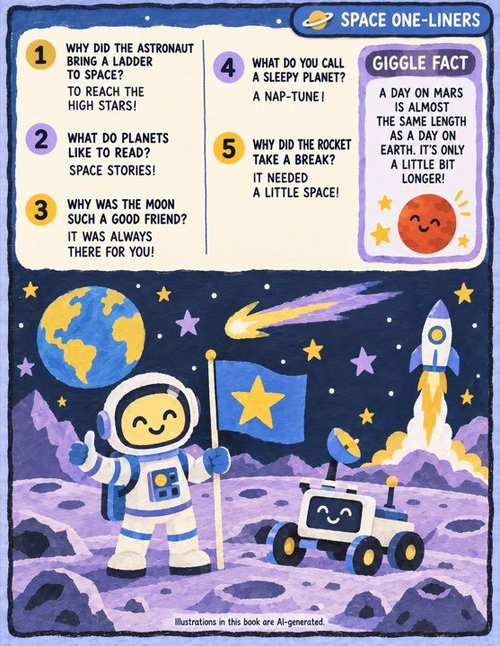
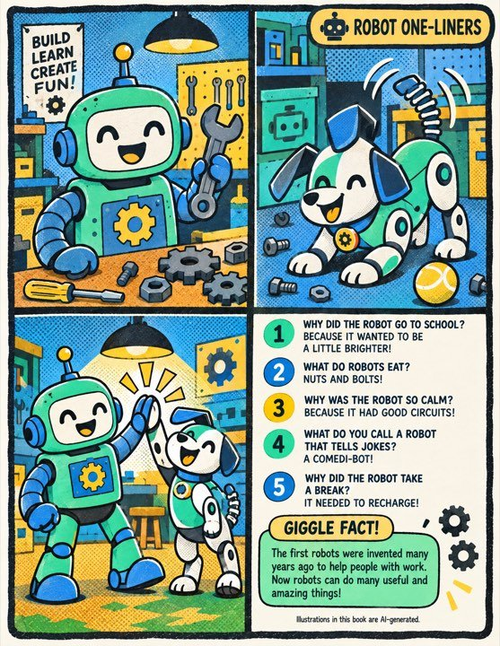
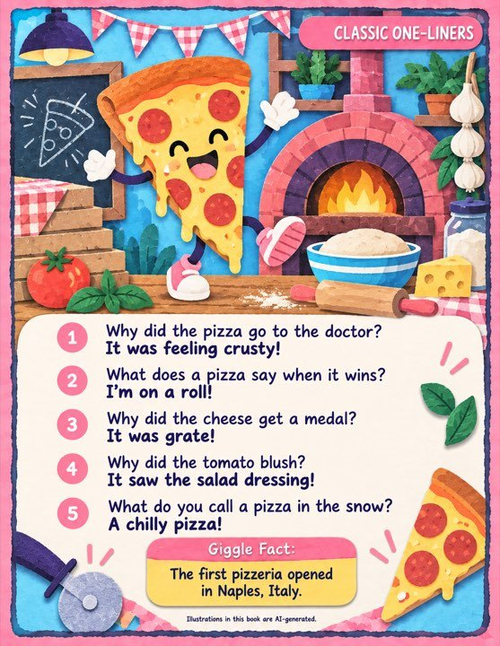
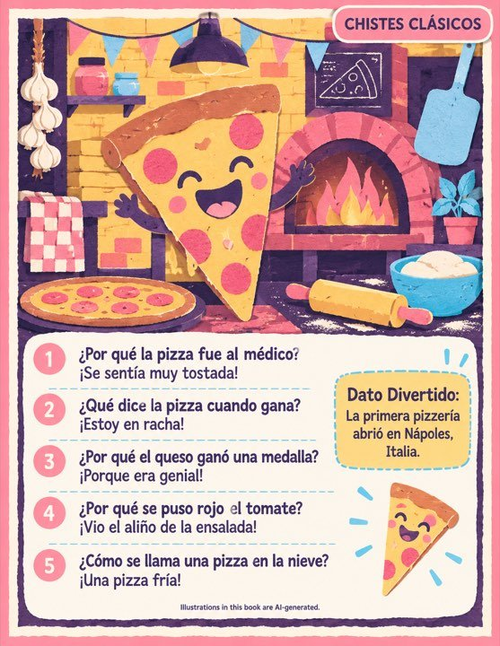
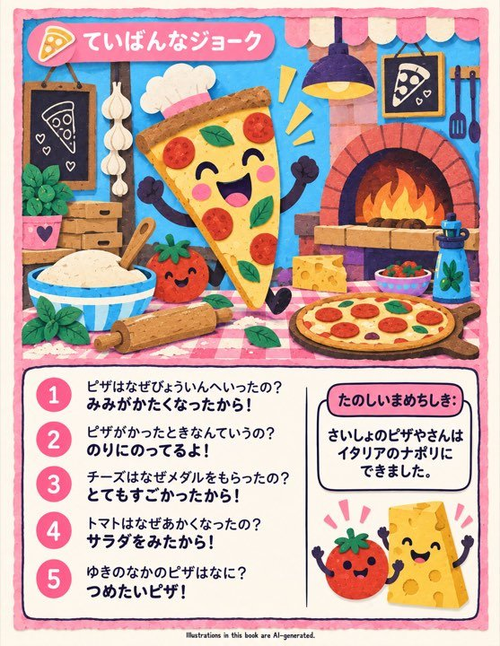
⚖️ Pros & Cons — An Honest Look
No hype — where GiggleDeck is genuinely strong, and where it will genuinely frustrate you.
✅ Pros
- One-time $17 — no subscription, no monthly fee, nothing charged per book.
- Nothing to install — runs on the vendor's hosting in any current desktop browser; your artwork never leaves your machine.
- It fixes the actual bottleneck — planning, style consistency and print geometry, not the ten-second part.
- Unlimited books with a commercial licence — publish, sell, and take client work.
- Three editions and ten languages from one keyword — a collection, not a single listing.
- Unusually honest vendor — a public section on what the tool will not do.
❌ Cons
- You need your own ChatGPT account with image generation. A text-only plan will not work; the free plan hits a daily image cap and makes you wait hours between batches.
- All sales are final. There is no 30-day money-back window — the only refund path is "it will not run in your browser."
- Single-purpose. It makes kids joke and activity books and nothing else, ever.
- Not a layout tool, and artwork spelling can slip. You cannot drag elements around a page, and misspelled words in generated images mean regenerating that page.
⚙️ How Does It Work?
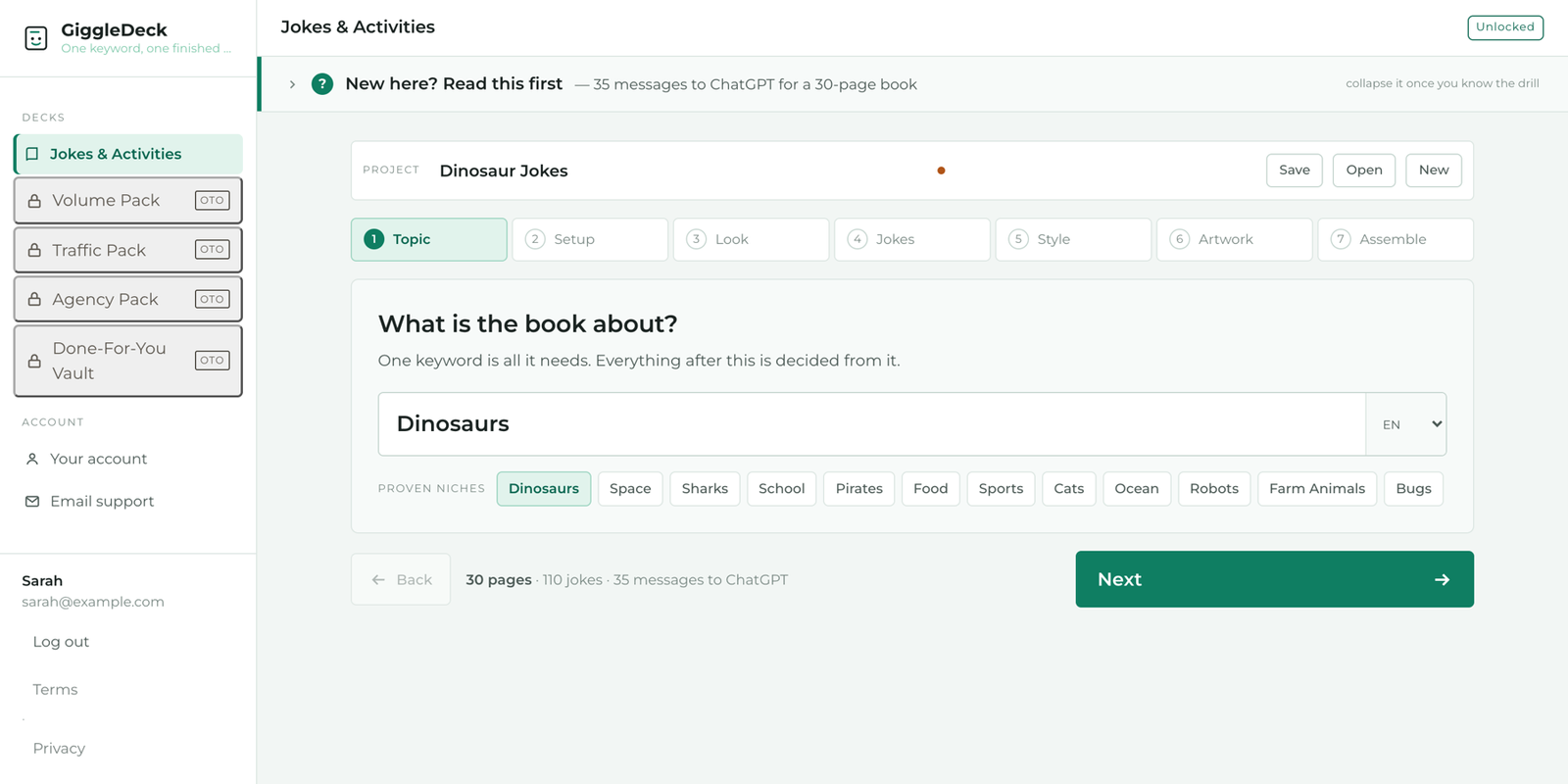
GiggleDeck runs on a three-step loop: Enter → Generate → Create. The split is deliberate — GiggleDeck does the deciding and the remembering, ChatGPT does the drawing.
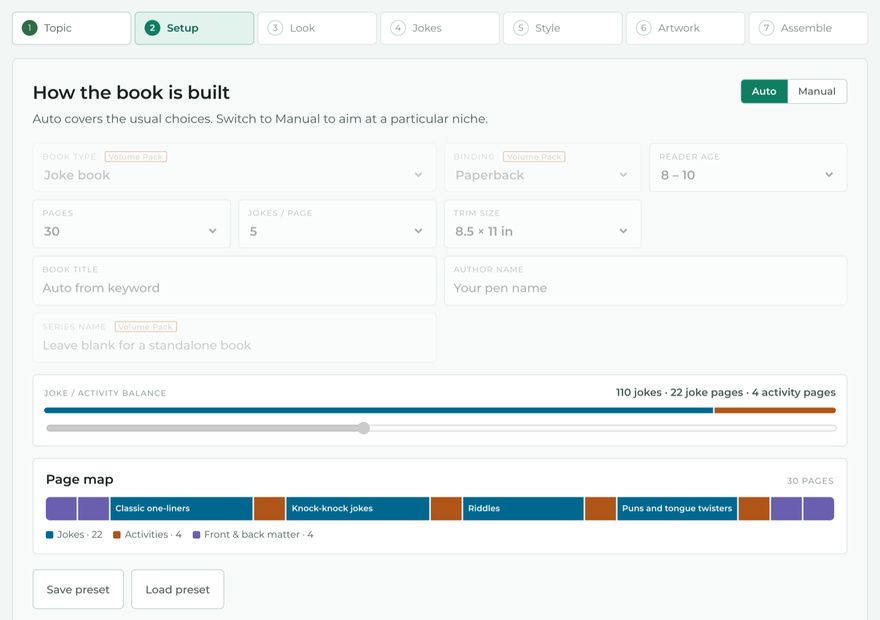
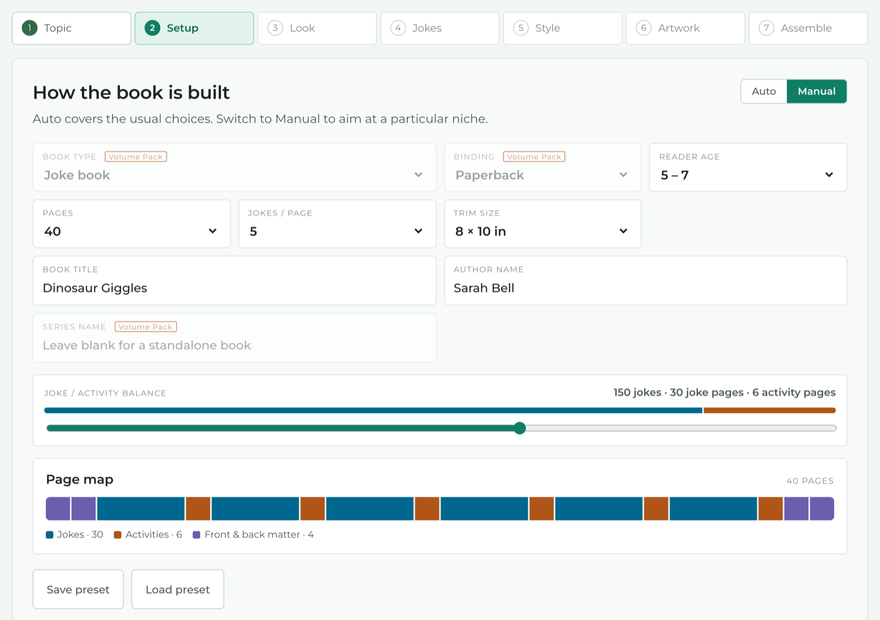
- Enter your keyword. Type Dinosaurs, Sharks or Pirates. Pick an edition and a palette, or let Auto decide. The page map fills in and tells you how many messages the book will take — for a default 30-page book, 30 pages, 110 jokes and 35 messages.
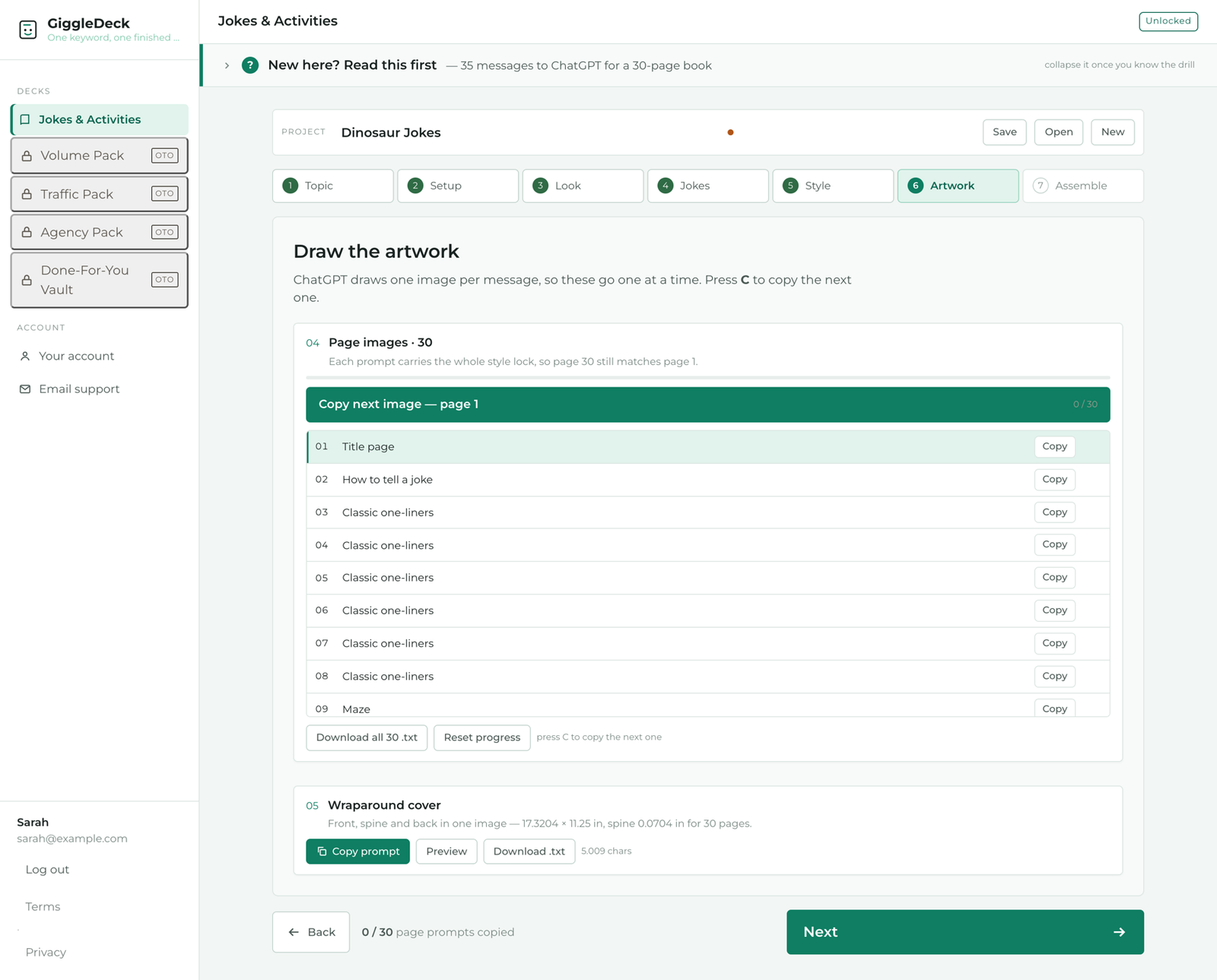
- Generate in your own ChatGPT. Copy the three content prompts across, paste them into ChatGPT, and paste the answers back. Send the style anchor once and check the reference image. Then work through the page prompts one at a time — the queue keeps your place and marks each page done.
- Assemble and publish. Drop the finished images back into the assembler. Each page is redrawn at 300 DPI and written into an interior PDF; the cover is built at KDP's wraparound size with the spine computed from your page count. Two files, ready to upload.
The vendor's published time comparison, based on his own runs — not a customer average:
| The manual way (~5 hours, all of it yours) | With GiggleDeck (~20 min of your time) |
|---|---|
| Pick the niche, plan thirty pages — 45 min | Type a keyword, press Build — 1 min |
| Prompt for the jokes, re-prompt when it drifts — 30 min | Copy three content prompts across — 2 min (ChatGPT: 8 min) |
| Write an image prompt for every page — 60 min | Send the style anchor, check the look — 1 min (ChatGPT: 2 min) |
| Re-explain the art style each time the chat forgets — 40 min | Press C, paste — thirty page prompts — 11 min (ChatGPT: 35 min) |
| Lay text onto thirty pages in Canva — 90 min | Drop the images in, build both PDFs — 3 min |
| Work out the spine width, build the cover — 25 min | Nothing to fix — the geometry was computed |
| Export, check, fix, export again — 20 min | — |
Your first book will be slower than either column, your fifth faster. The point is not the exact minutes — it is that roughly 45 minutes of the process needs nobody at the desk.
🖥️ My Experience Using It
To be straight with you: this is my read of the workflow as the vendor documents it and as the tool behaves — not a fantasy about push-button riches.
The keyword-to-page-map moment is the hook. I typed dinosaurs in Auto mode and the page map filled in immediately — 30 pages, 110 jokes, 35 messages, activities and answers already placed. Before sending a single prompt I knew exactly what I was committing to.
The queue is the underrated feature. Thirty image prompts is a lot of copy-paste, and the obvious failure mode is losing your place at message nineteen. The queue marks each page done and tells you what to send next — the difference between a book you finish and one that sits half-done in a chat tab for three weeks.
The style lock genuinely holds. The reason is mechanical, not magical: the five hex values, art direction, line weight, border rule and lettering placement are written out in full in every prompt. When the chat drifts on page 22, prompt 23 pulls it back. The lettering also alternates by design — left column on page 2, mirrored right on page 3, lifted onto a panel on page 5 — which stops thirty pages reading as thirty copies of one page.
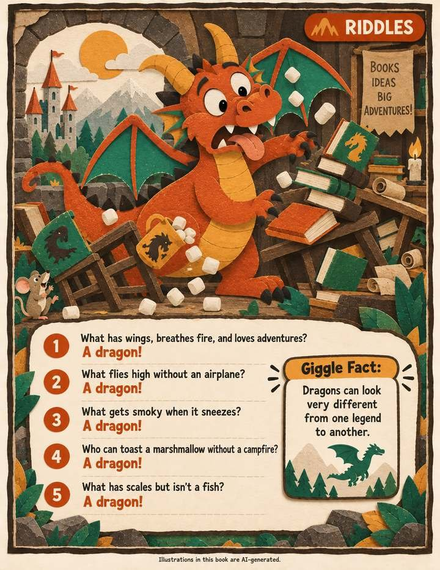
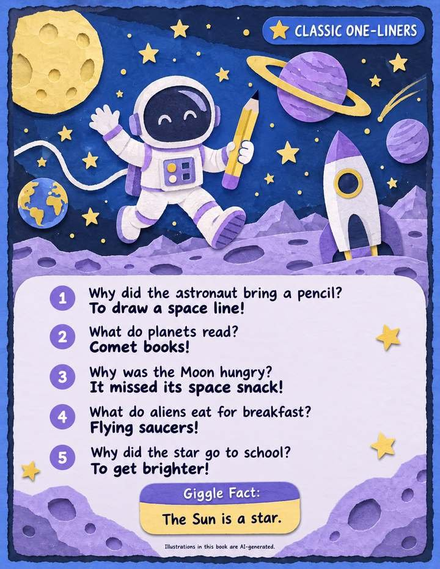
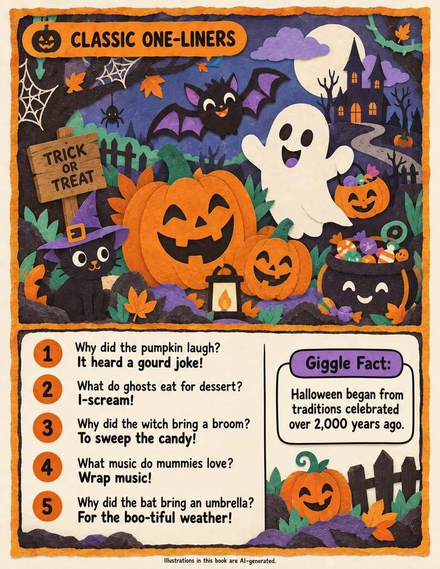

One page came back with a misspelled word in the artwork. I regenerated it, exactly as the vendor warns you to. Never publish a page with a typo baked into the illustration — build that check in and it costs two minutes.
The honest time was about 20 minutes at the desk plus roughly 45 minutes of ChatGPT drawing — and the drawing needs nobody present, which surprised me most. I was not waiting on it.
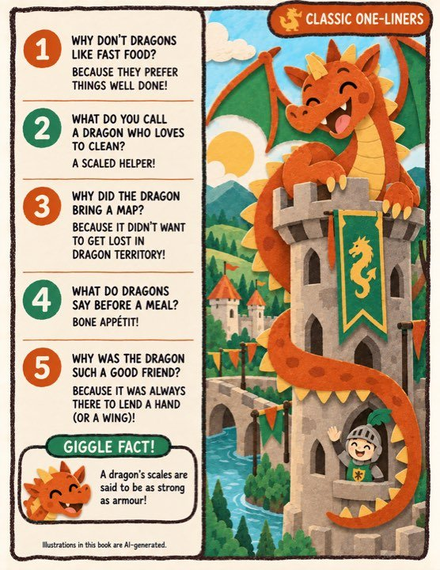
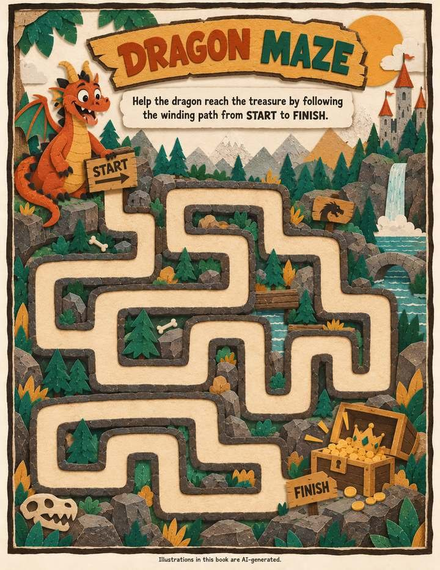
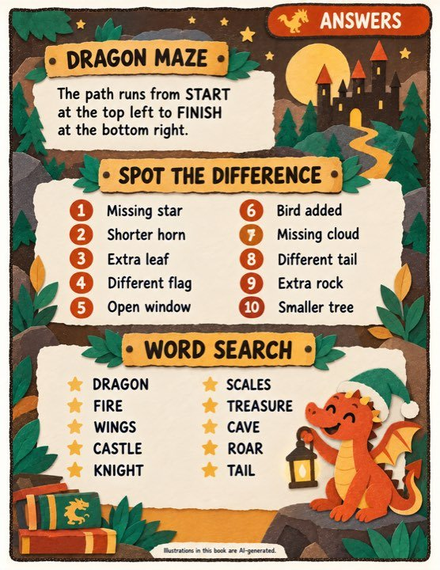
Set expectations correctly: GiggleDeck removes the deciding, the re-explaining and the geometry — not the publishing. Your cover, listing copy, niche and pricing are still yours, and nothing in the tool promises sales, rankings or income. What it does is put a finished, print-ready book in your hands in an afternoon instead of a weekend.
🚀 Why You Should Buy It?
- The price of entry is absurdly low for what it replaces: five hours of your time versus $17 once. The tool pays for itself on the first book.
- You are buying a collection, not a book. One keyword produces three editions and up to ten languages — up to thirty listings from one afternoon of planning.
- The commercial licence covers client work in writing. That turns a $17 cost into a service line — personalised joke books for other people, billed at your rate. And with no recurring cost and no metering, your cost per book trends toward zero.
- Multiple sales channels from the same files. KDP paperbacks in four trim sizes, the interior PDF as an Etsy download, activity pages for Teachers Pay Teachers, cheap B&W runs for classrooms, and personalised gift editions.
- The two bonus apps are free right now — worth $24.89 at their published prices, and they disappear when the launch closes on 26 September 2026.
💬 My Opinion
★★★★★ 4.6 out of 5
GiggleDeck is a well-built, narrowly-scoped tool that understands its own limits — rarer in this market than it should be. It does not pretend to be AI magic; it positions itself as the thing that remembers what a chat window forgets, and mechanically that is what it does: the page plan, the 35 prompts, the style lock in every one of them, and the cover geometry computed rather than guessed.
Where it earns its score is the fit between problem and solution: if your bottleneck is deciding, re-explaining and laying out, this removes it in an afternoon. If your bottleneck is traffic, listings or niche selection, it does not touch that — and no honest tool at this price could. Where it loses points, the final-sale policy is restrictive and I would have liked a short testing window, more base languages, and a built-in proofreading pass for artwork text.
My verdict: buy it if you already publish kids' books and already have ChatGPT with image generation. Skip it if you want software that writes and draws by itself, or a general design tool. On the first you get your afternoon back; on the second you will be disappointed — and the vendor tells you that himself, before you pay.
🎯 Who Should Buy It?
✅ GiggleDeck Is For You If…
- You already publish children's or low-content books on Amazon KDP and want a faster pipeline.
- You have ChatGPT with image generation and lose afternoons to page planning and style drift.
- You sell printables on Etsy or activity pages on Teachers Pay Teachers, or you are a homeschool parent wanting topic books.
- You offer done-for-you book services and want the licence to cover client work.
- You want to build a catalogue across three editions and multiple languages from one keyword.
❌ GiggleDeck Is NOT For You If…
- You want software that writes and draws the whole book by itself — it will not, and cannot.
- You want a drag-and-drop layout tool, or you need it to make anything other than kids joke and activity books.
- You only have text-only ChatGPT access — you will get every word and none of the pages.
- You need a money-back guarantee window. All sales are final.
- You are looking for traffic, listings or a business-in-a-box. This is a production tool, not a marketing course.
🗣️ Testimonials
GiggleDeck is a fresh launch, so the public feedback pool is still small. The pattern buyers report is time saved and consistency gained, not overnight income.
"The page map sold me. I typed one word and knew exactly what the book was before I sent a single prompt — 30 pages, 110 jokes, 35 messages. I have never started a book with that much clarity."
— Melissa R., KDP children's author
"Style drift was killing me. Page 3 came out gouache, page 19 came out photoreal, and I spent forty minutes re-explaining the same art direction. Having the palette written into every prompt fixed it."
— Daniel K., low-content publisher
"I made the joke book, then ran the same keyword through the colouring edition and the scribble edition. Three listings from one afternoon of work. That is the part I did not expect."
— Tom W., Etsy printables seller
Publisher's note: GiggleDeck is a new launch — replace these with verified buyer quotes as you collect them.
🎁 Bonus — What Comes Free With It
Until the launch closes on 26 September 2026, two complete apps come with GiggleDeck at no extra cost — a combined published value of $24.89.
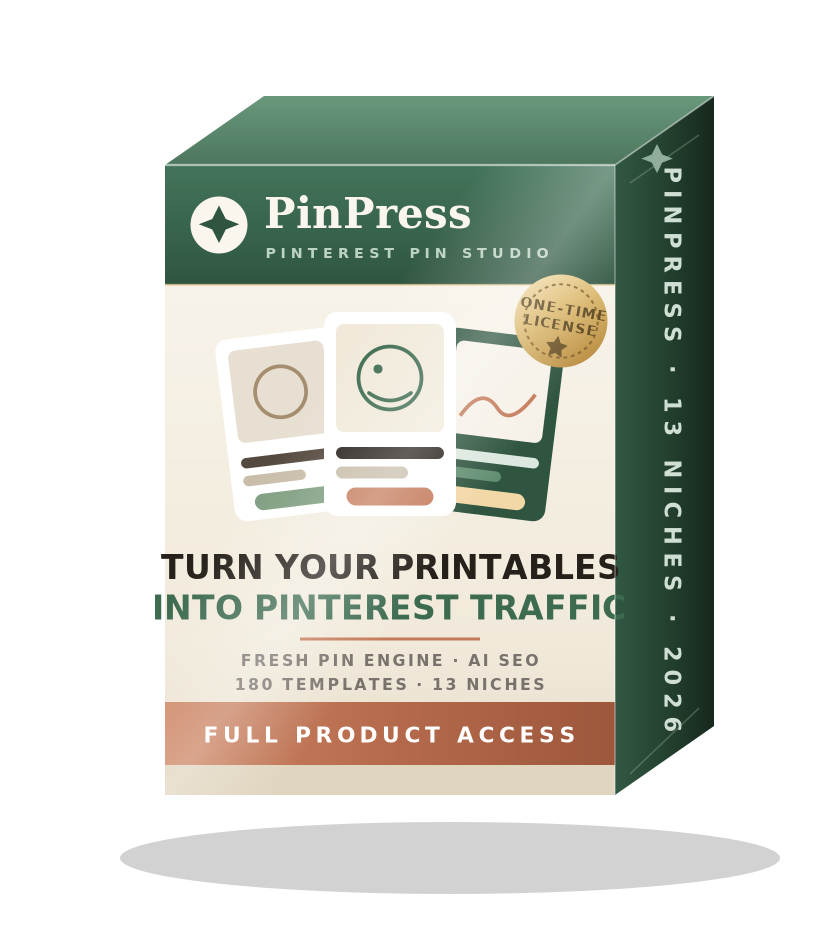
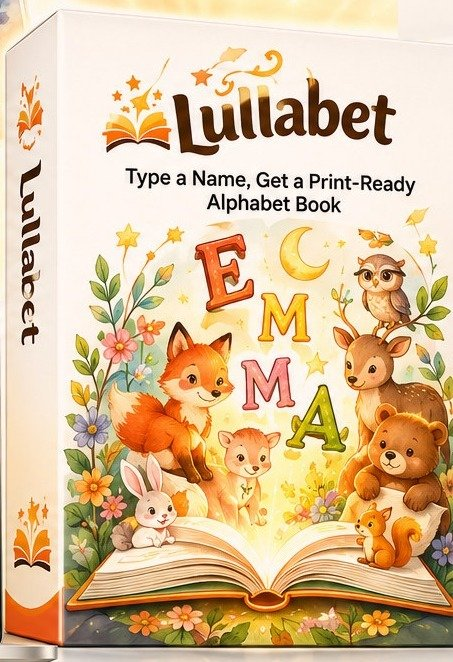
Bonus 1 — PinPress AI Worth $14.94 · Free until 26 Sep
GiggleDeck hands you a finished book, not buyers. PinPress AI is the channel piece: drop in the pages you just made and walk out with dozens of genuinely different Pinterest pins, each a different layout, palette and caption.
- 180 templates across 13 printable niches
- Fresh Pin Engine varies every pin so Pinterest reads each as new
- AI writes the title, description and tags for each pin
- Built at 1000×1500, pre-linked to your listing with a UTM tag
- Commercial licence · files never leave your browser
Bonus 2 — Lullabet Worth $9.95 · Free until 26 Sep
A second kind of listing at a higher price point. Type a child's name and get a print-ready personalised alphabet book — interior and wraparound cover, about a minute apart.
- 13 two-page spreads built from the letters of the name
- 52 characters and 208 verses across four illustrated worlds
- Seeded to your account — no other buyer can produce your file
- Two print-ready PDFs, spine already calculated for KDP
- Commercial licence included
📩 How To Claim The Bonuses
Email your WarriorPlus receipt to leo@leosterling.net and both accounts are opened for you by hand — usually the same day. They are separate apps with their own logins, so this is the one step that is not automatic. After 26 September they go back to being sold on their own.
💰 Front-End Product & OTOs Details
| Offer | What You Get | Price |
|---|---|---|
| Front-End — GiggleDeck | The complete deck: page planner, 35-Prompt Compiler, Five-Colour Lock, image queue, PDF assembler. Three editions, 18 art directions, 12 palettes, 4 trim sizes, 10 languages, unlimited books, commercial licence. | $17 one-time $47 |
| OTO 1 | Optional upgrade, offered after checkout | $37.00 |
| OTO 2 | Optional upgrade, offered after checkout | $47.00 |
| OTO 3 | Optional upgrade, offered after checkout | $67.00 |
| OTO 4 | Optional upgrade, offered after checkout | $97.00 |
| Bonus — PinPress AI | Pinterest pin generator for your finished pages (launch only) | $14.94 Free |
| Bonus — Lullabet | Personalised alphabet name books (launch only) | $9.95 Free |
| Full funnel, everything bought | Front-end plus all four OTOs | $265.00 |
| Total published value | GiggleDeck at regular price plus both bonus apps | $71.89 |
| You pay today | One-time payment. No subscription, no credits, nothing per book. | $17 |
OTO / Upsell Structure
There are four OTOs, priced at $37, $47, $67 and $97. They appear after checkout and are not broken down on the public sales page, so treat each as an optional decision you make once you have used the front-end — not a hidden cost of buying it. The only upgrade named anywhere publicly is the Agency Pack, which extends the built-in ten languages to 34, including right-to-left scripts and character sets most tools cannot set.
My advice: buy the front-end first — nothing in it is crippled to push you into an upgrade. Run one book through the workflow, then decide whether any upgrade solves a problem you actually have. Buying every OTO takes the funnel to $265: a choice, not a requirement.
Value vs. Cost
Judge this on replaced hours, not imagined income: the manual route is roughly five hours per book against twenty minutes of yours. At $17 once, break-even is the first book you finish, and nothing is metered after that. What the tool will not do is guarantee sales — what any book earns is down to your cover, your listing and your niche.
🏁 Conclusion
If you publish kids' books — or have been meaning to — GiggleDeck removes the specific afternoon that stops you. Not the writing: the deciding, the re-explaining, the Canva layering and the spine-width arithmetic that gets your cover rejected. One keyword in; a planned, styled, print-ready book out; three editions and ten languages from the same words.
It is honest about its limits, includes a commercial licence, costs $17 once, and comes with two free apps worth $24.89 — but only until 26 September 2026, when the price returns to $47 and the bonuses drop out. If you already have ChatGPT with image generation and the bottleneck between you and your next book is three hours of deciding and laying out, this was built for exactly that afternoon. If it was not, the vendor would genuinely rather you kept your $17 — and he says so before you pay, not after.
👉 Get Instant Access To GiggleDeck — $17 One-Time

❓ Frequently Asked Questions
What is GiggleDeck and how does it work?
A browser-based book-building tool for self-publishers. You type one keyword, it plans a 24–60 page kids joke and activity book, writes all 35 ChatGPT prompts, locks the art style into every prompt, and assembles the pages into print-ready KDP interior and cover PDFs — with nothing to install.
How much does GiggleDeck cost?
GiggleDeck costs a one-time $17 during launch week, rising to $47 when the launch closes on 26 September 2026. There is no monthly fee, no credits and nothing charged per book.
Do I need a ChatGPT subscription to use GiggleDeck?
Yes — GiggleDeck does not write or draw anything itself. You need your own ChatGPT account with image generation. The free plan works but hits a daily image cap; a paid plan draws a whole 30-page book in one sitting. Text-only access will not work.
Can I sell GiggleDeck books on Amazon KDP?
Yes. A commercial licence is included, so you can publish and sell every book you make on KDP, Etsy or anywhere else, including client work. KDP asks you to declare AI-generated content at upload, and GiggleDeck interiors carry a declaration line of their own. You may not resell the app itself.
Is there a refund policy for GiggleDeck?
All sales are final, with one exception: if GiggleDeck will not run in your browser, the vendor will fix it or refund you. That is an email-based promise, not a thirty-day window, and WarriorPlus marketplace protections still apply.
How long does it take to make one book with GiggleDeck?
A 30-page book takes 35 ChatGPT messages and roughly 20 minutes of your time, plus about 45 minutes of unattended image generation. A 24-page book is 29 messages; the 60-page setting is 70. Your first book is slower, your fifth faster.
Will all the pages in a GiggleDeck book look consistent?
Far more than a manual workflow, because every image prompt carries the full Five-Colour Lock — five hex values, art direction, line weight, border rule and lettering placement, in all 35 prompts.
What bonuses come free with GiggleDeck?
Two bonus apps come free until 26 September 2026: PinPress AI (worth $14.94), which turns pages into Pinterest pins, and Lullabet (worth $9.95), which builds personalised name books. Email your WarriorPlus receipt to leo@leosterling.net to claim both.
Are there any OTOs or upsells with GiggleDeck?
Yes — four OTOs at $37, $47, $67 and $97, presented after checkout. None are required: the $17 front-end is the complete tool, with unlimited books and a commercial licence. The only upgrade named publicly is the Agency Pack, which adds 24 more languages.
Can GiggleDeck make books in languages other than English?
Yes. Ten are built in — English, Spanish, French, German, Portuguese, Italian, Dutch, Indonesian, Japanese and Vietnamese — with the wordplay written natively rather than translated. The Agency Pack extends this to 34 languages, including right-to-left scripts.
What are the limits of GiggleDeck?
GiggleDeck does not write or draw by itself, is not a drag-and-drop layout tool, does not submit to KDP, only makes kids joke and activity books, and cannot guarantee spelling inside artwork. Weigh those honestly before buying.
Who is GiggleDeck best for?
GiggleDeck is best for existing KDP publishers, low-content and printables sellers, teachers, homeschool parents and service providers who already have ChatGPT with image generation. It is not for anyone wanting fully automated software or a traffic system.
Is GiggleDeck legit?
GiggleDeck is a real, single-purpose tool sold on WarriorPlus by a named vendor with a public support email, a commercial licence and an unusually candid limitations section. It is not a get-rich-quick system.
How do I get support if something breaks with GiggleDeck?
Email leo@leosterling.net. Technical problems are treated as a fix-it matter rather than a refund question, and the vendor states he will fix it or refund you if it will not run in your browser.
Buy through my link and unlock a massive bonus bundle — free.
When you purchase any featured product using my special link below, you instantly unlock all of these premium bonuses worth $1,000+ — at no extra cost to you.
✔ Delivered instantly after your purchase · No extra cost
How It Works
Getting your bonuses is quick, simple, and 100% free with your purchase.
Click My Link
Use my special link on this page to buy any featured product. This tells me to reward you.
Complete Your Purchase
Go through the normal checkout. Nothing changes for you — you still pay the same official price.
Receive Your Bonuses
Directly receive bonus to mail.
Your Exclusive Bonus Bundle
Every bonus below is included free when you buy through my link. No strings attached.
Bonus Courses Pack
A collection of premium courses covering money-making skills from scratch.
Digital Product Business
Step-by-step 2-part video training on building and selling your own digital products.
Search Engine Optimization (SEO)
Complete SEO course to rank higher on Google and drive free, targeted traffic.
Social Media Marketing
Master social media to grow an engaged audience and generate consistent sales.
Six-Figure Membership Site
Proven step-by-step system for creating a recurring-income membership site.
ClickBank Income Automator 2 Bonuses
Extra bonuses that come with the ClickBank Income Automator 2 offer.
Buzzious Semi-Exclusive Bonuses
Semi-exclusive bonus pack to accompany the Buzzious content tool.
HostSquad Bonus Delivery
Bonus delivery guide that accompanies the HostSquad hosting/tools offer.
Graphics, Animation & Video
Ready-made graphics, animation and video assets to fast-track your content creation.
Agency & SEO Content Guide
How to sell digital products as an agency, plus a step-by-step system for writing content that ranks on Google.
SEO Course
Learn to rank higher on Google and drive organic, targeted traffic.
FB Ads Masterclass
Run profitable Facebook ads and scale campaigns that convert.
Product Launch Mastery
Launch products the right way and maximize your first sales.
Content Marketing
Build a content strategy that attracts, engages, and converts.
Advanced Blogging
Take blogging to the next level and grow a real audience.
Affiliate Marketing
Monetize traffic and earn commissions the right way.
Email Marketing Mastery
Build email lists and campaigns that keep on selling.
Social Media Marketing
Grow engaged social audiences and turn them into buyers.
Zapier Mastery
Automate your business workflows and save hours every day.
Google Analytics
Understand your traffic and make data-driven decisions.
Image Sharing Profits
Ways to make money online by sharing content on social media — plus how to grow followers and engagement.
Internet Cash in 8 Days
Find the right niche and business model for online success, with tips for starting and building your business.
Amazon Affiliate Marketing
Step-by-step video tutorial on making money promoting Amazon products as an affiliate.
Social Media Marketing Revolution
Master and automate social media to produce income across Facebook, Twitter, YouTube, and Pinterest.
Facebook Marketing Unleashed
Step-by-step instructions to promote on Facebook with a higher-than-average chance of success.
Modern Niche Marketing
Assess niche ideas for viability and drive targeted traffic to a profitable niche website.
TikTok Marketing
Everything you need to use the explosive TikTok platform to market your business successfully.
AI in Digital Marketing
Thinking ahead and preparing for changes — so your business stays resilient and thrives as tech evolves.
LinkedIn Marketing Best Practices
Best practices and real examples for marketing effectively on LinkedIn.
YouTube Analytics Walkthrough
Walk through YouTube Analytics to understand and improve your channel performance.
LinkedIn Company Page Analytics
Read and act on your LinkedIn Company Page analytics for better results.
Facebook Page Insights Walkthrough
Understand your Facebook Page Insights to improve content and engagement.
Social Media Landing Pages That Convert
Build landing pages that turn social media traffic into leads and sales.
Social Media Metrics You Must Measure
The key metrics every business should track across social media.
Twitter Marketing Best Practices
Best practices and examples for building an audience on Twitter.
Twitter Analytics Walkthrough
Use Twitter Analytics to track performance and grow your account.
Social Media & Google Analytics Integration
Connect your social media and Google Analytics for deeper insight.
Facebook Marketing Best Practices
Walk through the best ways to market your business on Facebook.
Pinterest Marketing Best Practices
Best practices and walkthrough for marketing on Pinterest.
Choosing the Right Social Platform
How to pick the right social media platform for your business.
Must-Have Social Media Tools
The essential tools you need for successful social media marketing.
The Complete Bonus Library
An additional 50 value-packed bonuses — video training, plugins, traffic systems, and done-for-you tools. All free with your purchase.
Featured Products
Buy any of these through my link and the entire bonus bundle is yours.
ClickBank Income Automator 2
Automate profitable ClickBank campaigns on autopilot.
Buzzious
Generate unlimited content and dominate your niche.
HostSquad
Premium hosting and tools to launch your online business.
Good To Know
✔ How do I claim my bonuses?
After purchasing through my link, you'll directly receive your bonus to mail — download links come right to your inbox.
✔ Is this really free?
Yes. You pay the official product price — the bonuses are my bonus to you, valued at $1,000+.
✔ What if I buy without using my link?
I can't track the sale, so please be sure to click my link first before checking out. Otherwise the bonuses can't be claimed.
✔ How fast do I get the bonuses?
Usually within 24 hours of confirming your purchase. You'll receive everything by email.
Ready To Unlock $1,000+ in Bonuses?
Click the button, buy through my link, and your entire bonus bundle is on its way.
Get GiggleDeck + All My Bonuses →