Can ShopEmpire Turn Product Photos Into Faceless Videos? An Honest 2026 Review
Make polished product videos from real listing images—without buying the item, setting up a camera or putting your face on screen. Here is what ShopEmpire includes, what it costs today and what to check before you decide.
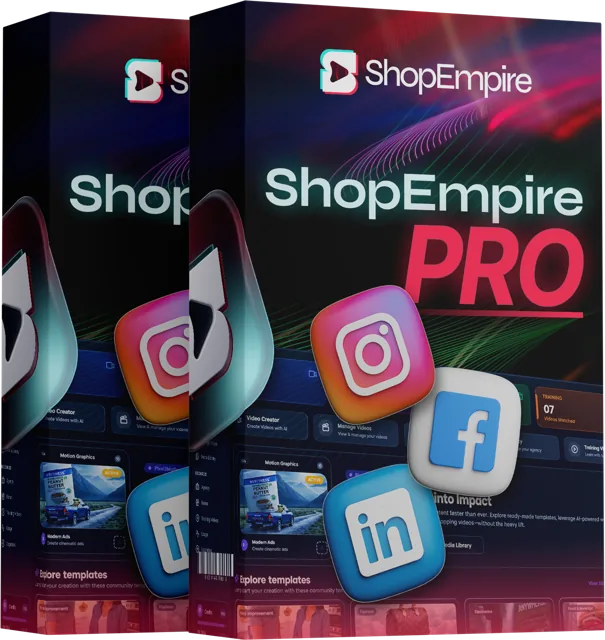
The quick answer: ShopEmpire is a product-video creation and publishing tool aimed at affiliate marketers, ecommerce sellers and service businesses. Its central idea is practical: use a real product photo as the starting point, apply a video template and move toward publishing without filming yourself.
*Direct checkout pages displayed these one-time prices when reviewed on October 12, 2026. Prices, taxes and inclusions can change; check the final order summary.
1. Introduction
You spot a product people are talking about, find an affiliate program and imagine making a useful short video around it. Then the production part lands: buying the product, finding a place to film, learning editing software, writing captions and posting the same content across several accounts. If you would rather not appear on camera, that last hurdle can stop the idea before it starts.
ShopEmpire is designed to reduce that friction. The seller describes an AI-assisted workflow that begins with a product image and a template, then helps turn the image into a branded promotional clip. Depending on the plan and current integrations, it can also help carry an affiliate link into a caption and publish or schedule posts to social channels.
That is a useful promise—but it needs to be separated from the bigger income claims common in online marketing. A faster way to make a video does not prove that a product will sell, that a platform will distribute the post, or that a viewer will click. This review looks at the actual offer structure, the checkout information available today and the situations where the tool may—or may not—make sense.
2. Overview
If you want the short version before reading the details, start here. ShopEmpire is a web-based workflow for discovering products, building short videos from photos and organizing their publication. The exact feature set depends on which offer you choose.
- Product
- ShopEmpire Starter / Pro — AI product-video creation and publishing workflow
- Creator
- Neil Napier and Kamal Jalwania, named as ShopEmpire co-owners
- Front-end price
- $27 USD one-time for Starter and $27 USD one-time for Pro at the direct checkouts reviewed
- Coupon
- No public coupon code was listed in the checked offer materials
- Bundle discount code
- No separate code was listed; Complete Suite checkout displayed $267 USD
- Vendor bonuses
- Four launch bonuses are listed on the main offer; the Complete Suite lists eight
- Upgrade count
- Four core upgrades are named on the bundle page; reseller-offer numbering is inconsistent
- Guarantee
- Seller advertises a 14-day satisfaction / money-back guarantee
- Support
- support@kvsocial.com is listed in the seller's launch materials
 14-day guarantee listed
 One-time entry checkout
 Support contact listed
At a glance: ShopEmpire may be worth exploring if video production is the bottleneck. It is less compelling if you expect it to choose a profitable niche for you, create an audience or replace the work of checking product claims and platform rules.
3. Who Created It?
ShopEmpire is presented as a collaboration between Neil Napier and Kamal Jalwania. The product pages identify both as co-owners; the launch materials are written from Neil's perspective and describe Kamal as the product co-owner.

Neil's launch biography says he has spent more than 13 years launching software on JVZoo, with over $11 million in product sales and $2.5 million in affiliate earnings, plus multiple leaderboard finishes. Those are vendor-reported credentials from the promotional material, not figures independently audited for this review. The pages I checked provide less background about Kamal beyond his co-owner role.
The relevant trust signal is therefore the team's stated experience with online software launches—not a guarantee that the new product will work perfectly for every buyer. As with any relatively new web app, it is sensible to verify current feature availability, support response, credit usage and refund terms before investing in upgrades.
4. What Is ShopEmpire?
ShopEmpire is a tool for making short promotional videos from product photographs. Rather than asking you to shoot footage of an item yourself, its product-video mode is described as placing the seller's real listing image into designed scenes, with motion, lighting and presentation effects added around it. A separate service-video mode is intended for businesses that want to turn their own photographs into promotional content.
The broader workflow is meant to cover more than rendering. The seller describes product discovery across TikTok Shop, Amazon and eBay; campaign folders that can keep products and affiliate links together; a template library; an AI studio assistant that previews a scene plan; and options for captions and social publishing. The full sales page names TikTok, YouTube, Facebook, Instagram and Pinterest as publishing destinations.



Think of it as a production helper, not an affiliate network. You still need an approved affiliate account where required, a product that fits your audience, a valid link, a clear call to action and a reason for people to trust the recommendation. If using client photos, you also need the rights and permissions to use those images.
5. Features And Benefits
Here is the feature-to-benefit view, with plan differences kept visible rather than treating every capability as included in every tier.
6. Pros & Cons
Pros
- No camera appearance required: the product is designed around product imagery rather than a creator talking on screen.
- Lower production friction: templates and a guided scene workflow may be easier than starting with a blank editing timeline.
- Real product reference: the offer emphasizes using a real listing image, which is more product-specific than generic stock footage.
- Multiple use cases: affiliate promotions, ecommerce catalogs and client/service videos are all described.
- Low entry checkout price: Starter and Pro each displayed $27 USD when reviewed, with no recurring platform subscription stated for those offers.
- 14-day promise: the seller advertises a two-week satisfaction guarantee, subject to the current refund policy.
Cons
- Credits cap output: a one-time license does not mean unlimited video generation; top-ups can add to the total cost.
- Results rely on your decisions: product selection, creative judgment, affiliate approval, audience and consistency remain your responsibility.
- Plan details need checking: Starter and Pro show overlapping price points, and some long-form sales claims are broader than the checkout summaries.
- Limited independent proof: the supplied pages do not provide independently verifiable ShopEmpire customer testimonials or output-quality benchmarks.
7. How Does ShopEmpire Work?
The workflow described by the seller is straightforward. The useful question is not just whether the steps are simple, but whether each step fits your marketplace and content strategy.
Choose a product source and niche. The sales page describes discovery across TikTok Shop, Amazon or eBay, with preset niches and target markets. If you already have a store or client, you may instead start with an image you have permission to use.

Check the offer and add your link. Review the product, affiliate commission, availability and program rules. Apply for the relevant affiliate program if needed, then attach the correct tracking link to the campaign. ShopEmpire cannot approve you on behalf of a marketplace.
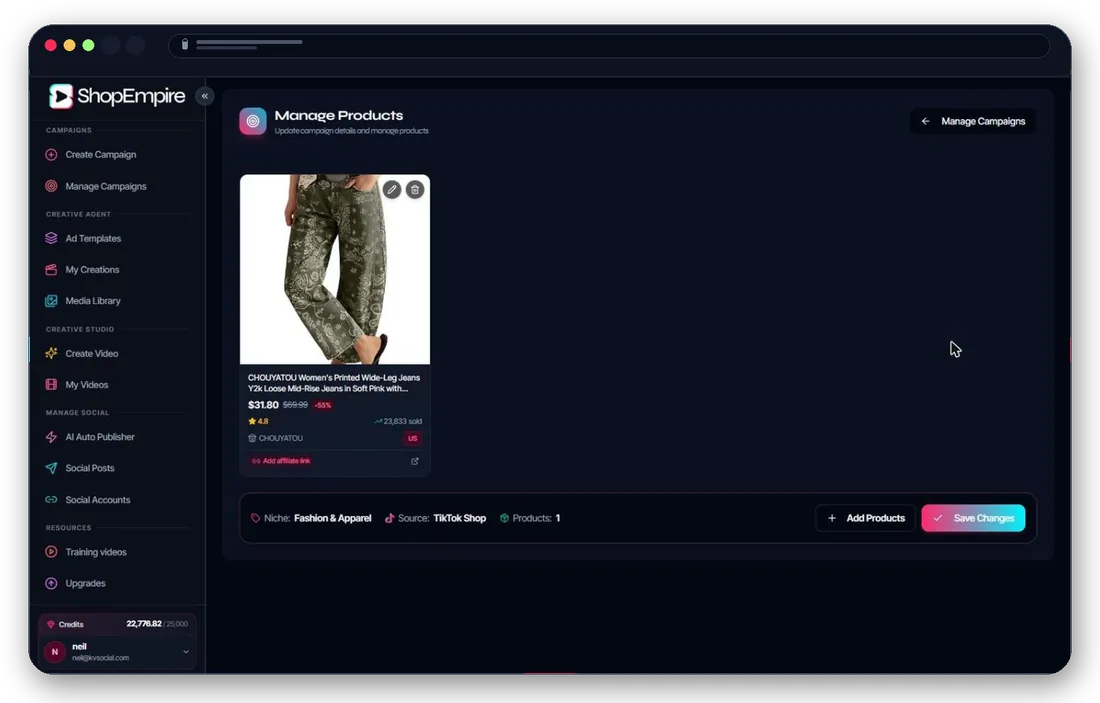
Select a template, preview scenes and render. Pick a look that fits the product and platform. The assistant is described as letting you adjust images, duration, background and music before generation. Review the finished clip for distorted product details, misleading imagery, unreadable text or inaccurate claims.
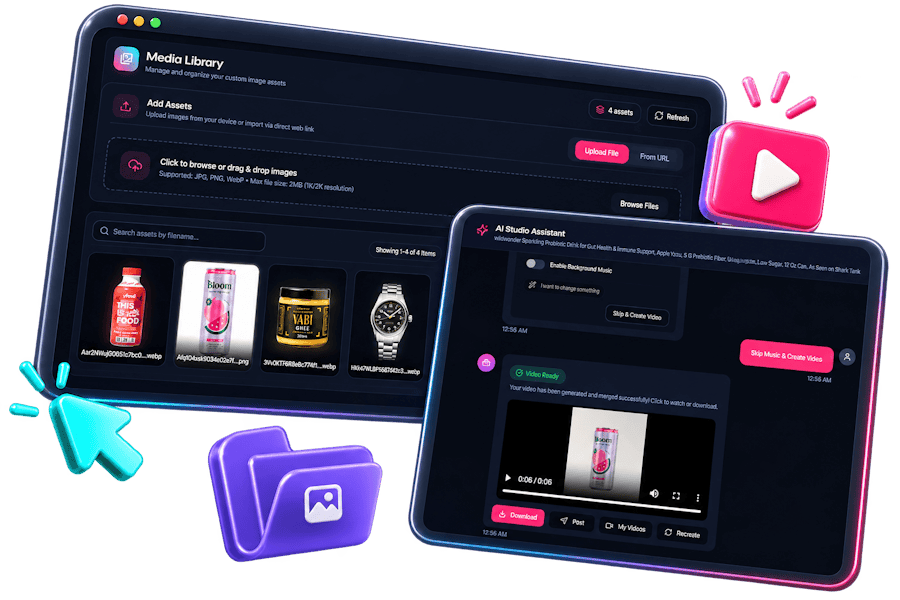
Publish, schedule and learn. Use the publishing options available in your tier, verify the affiliate link in the live post and monitor clicks and engagement. Make another version only when you have a reason to test a different hook, format or product angle.
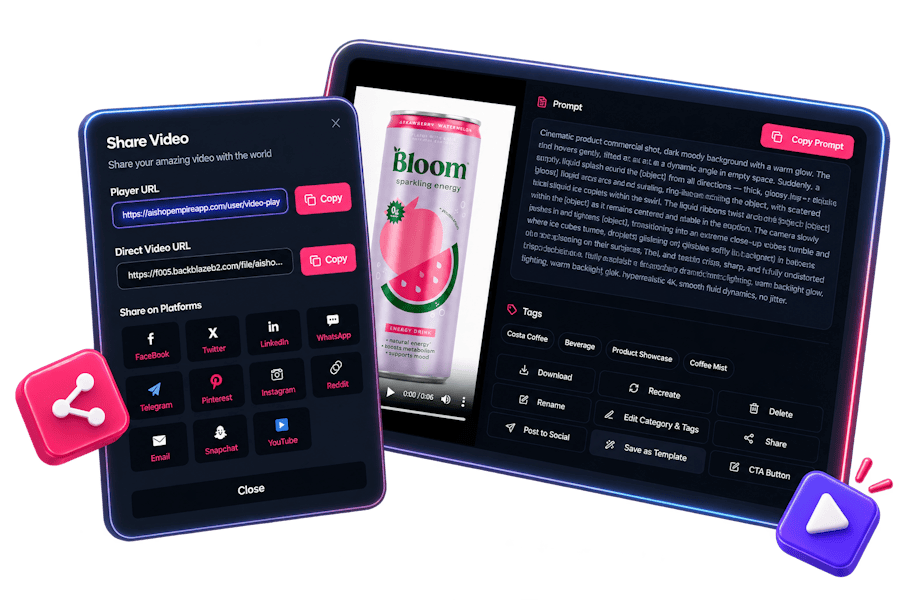
Practical tip: start with a small test batch. Check the credit cost per render, how much editing the output needs and whether the social connections work for your accounts before planning a large campaign.
8. My Experience Using It
My experience assessing ShopEmpire is that it addresses a very specific and relatable bottleneck: someone may know what they want to promote but avoid video because filming, editing and appearing on camera feel like too much. The product's described flow—real image, template, scene preview, link and publication—is coherent and easy to understand on paper.
For accuracy, this assessment is based on the published product information and checkout details available on October 12, 2026; I am not claiming a personal in-app video-production session. That means I cannot certify render quality, actual processing speed, platform-account reliability or how much manual cleanup a finished video needs. Those are the details I would check first during the refund window.
My practical expectation is modest: the tool may make it easier to produce more creative variations, but the operator still needs taste. A template can make a clip move; it cannot make an unconvincing product relevant. I would start with one niche, a few products and a clear measurement plan rather than trying to publish everywhere at once.
The strongest potential value is the combination of image-to-video creation and a repeatable publishing workflow. The biggest unknown is whether the output quality and integrations are consistent enough for your own standards. If you buy, judge the product on those concrete tasks—not on income screenshots or the promise of effortless sales.
9. Why You Should Buy It
ShopEmpire is most persuasive when it removes work you already know you dislike. If you have avoided product video because you do not own a camera setup, do not want to buy inventory or do not want to be the face of a social account, an image-led workflow could lower the barrier to starting.
- You want to test multiple products without filming each one. A template-based process may make it cheaper in time to create variations than commissioning or shooting every clip separately.
- You already have an audience or traffic plan. The software is more valuable when there is a real path from video view to product page and a way to measure what happened.
- You create videos for clients. Pro lists a commercial license, and the Complete Suite describes agency workspaces and reporting. Verify the scope of client rights before selling deliverables.
- You prefer one-time entry pricing to another monthly app subscription. The reviewed checkout pages list single payments, while generation is tied to credits. Budget for possible top-ups if you publish frequently.
Consider buying only when the workflow matches a task you will actually do this month. A discounted tool that stays unopened is not a saving. If the offer is still at the displayed price and you can name your first product, audience, CTA and success metric, check the current terms while the offer remains available.
10. My Opinion
ShopEmpire has a clear, useful angle, but its value depends on the person behind the keyboard. It tries to join product discovery, photo-led video generation, affiliate links and publishing in one workflow. That is more focused than a generic video editor for someone whose main obstacle is getting a product clip made at all.
I would not call it a passive-income machine. Affiliate approval, choice of offer, creative quality, platform compliance and audience trust are all outside the software's control. Also, the different checkout pages and long-form sales copy do not always describe tiers in identical detail. Read the itemized checkout and refund terms before adding upgrades.
For a beginner, Starter may be the simplest way to see whether the basic workflow is useful—provided the checkout still lists the included credits and templates clearly. Pro may be more appropriate if you need the commercial license, extra templates or broader publishing destinations. The Complete Suite is aimed at people who know they need the extra credits and production or agency features; it is not automatically the best value just because its vendor-stated component values add up to a large number.
11. Who Should Buy It?

ShopEmpire may suit:
- Affiliate marketers who already understand their marketplace program and want a faster way to create product clips.
- Small ecommerce or dropshipping teams that have product photos but limited video-production resources.
- Freelancers and agencies that need repeatable creative production for clients and have confirmed the commercial license terms.
- Creators who prefer faceless content and are comfortable refining AI-assisted output before it goes live.
- Small businesses with usable product, menu, service or project photos that could benefit from more motion-based content.
ShopEmpire is probably not for:
- Anyone expecting guaranteed income, automatic affiliate approval or an audience delivered with the software.
- People who need highly bespoke, documentary-style video where precise human filming is essential.
- Businesses that cannot verify rights to the product images or whose products need careful live demonstrations.
- Buyers who do not plan to create, review, publish and learn from content consistently.
12. Testimonials
Trust is better served by real customer evidence than by invented praise. The ShopEmpire pages reviewed for this article did not provide independently verifiable, named purchaser testimonials, payout screenshots or a clearly documented set of customer results for this specific software. I have not added made-up quotes, earnings images or outcomes attributed to anonymous users.
The promotional material does mention well-known ecommerce video examples and brand-reported campaign figures. Those are category examples about product video in general; they are not ShopEmpire user testimonials and do not show what a typical ShopEmpire customer will achieve. Before relying on the product for a business, look for a current in-app demonstration, examples made with the exact plan you are considering and clear answers about credit costs, export quality and account connections.
13. Bonus
The main ShopEmpire offer page lists four vendor bonuses. Availability can vary by tier or promotion, so check the current order page and account access rather than assuming every bonus appears with every plan.
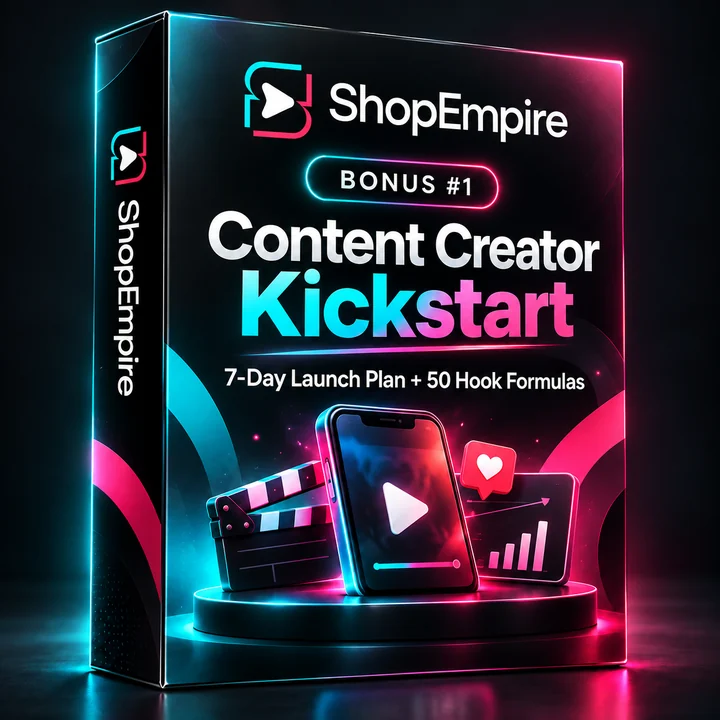
Content Creator Kickstart
A seven-day launch plan and 50 hook formulas to help plan an initial batch of posts.
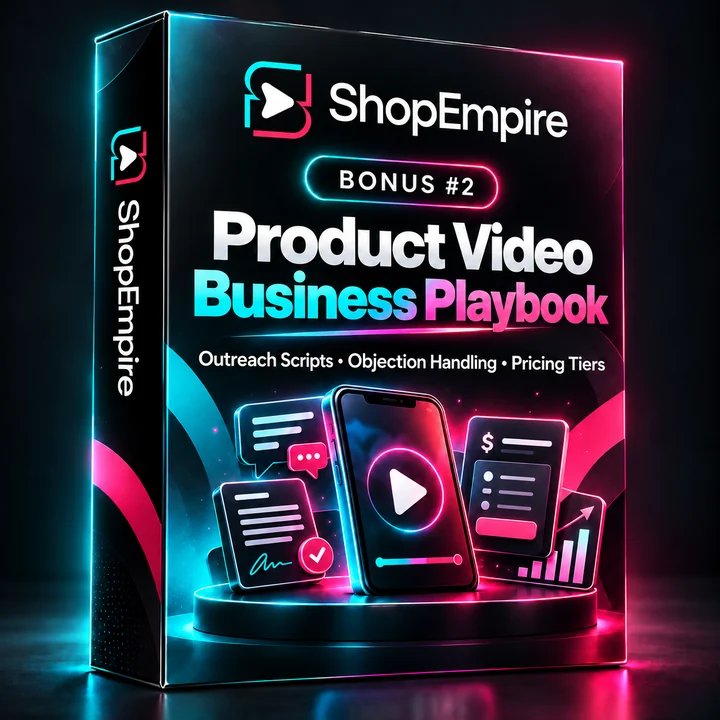
The Product Video Business Playbook
Outreach scripts, objection handling, pricing guidance and material about compliance and platform algorithms.

Agency Growth Toolkit
A pricing calculator and content planner for people considering client work.
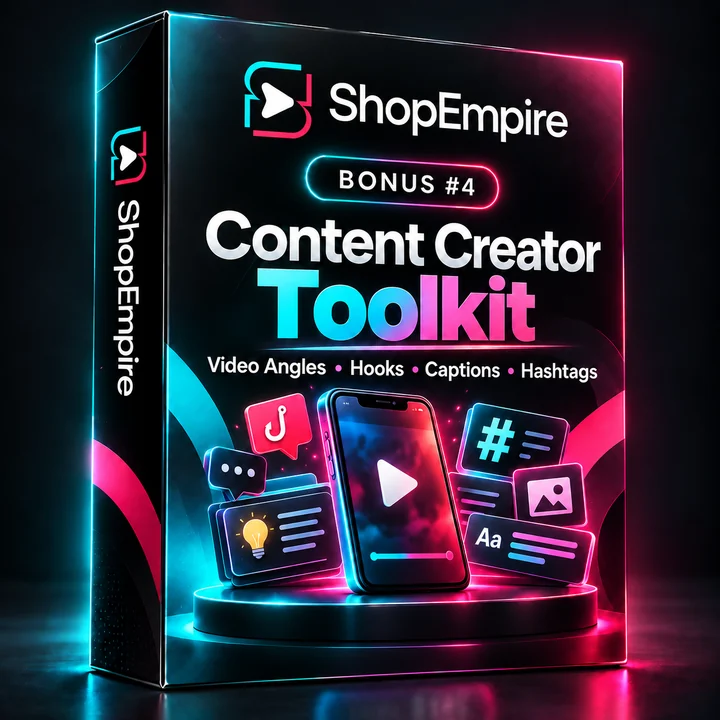
Content Creator Toolkit
Product angles, hooks, captions and hashtag prompts designed to help get past a blank page.
The Complete Suite page lists four more fast-action resources: an AI Video Script Machine, a 30-Day AI Content Calendar Generator, an ElevenLabs Voice Clone Launch Kit and a Shoppable Video Script Kit. Its sales page says the eight bonuses are split across multiple levels in the regular funnel. Their practical value will depend on whether you use the material and whether the listed versions are available at checkout.
14. Front-End Product & OTOs Details
Below is the clearest comparison available from the linked sales and checkout pages. All prices are shown in U.S. dollars. The direct checkout pages displayed one-time payments on the review date, but prices, taxes and offer contents can change. The amount on the final order screen is the one to verify.
| Offer | What the page lists | Price shown when reviewed | Best fit / action |
|---|---|---|---|
| ShopEmpire Starter | 5,000 video credits, 50 ready-to-use templates, product tags and buy-now overlays, social publishing presets. | $27 one-time | Entry option for testing the core workflow. View Starter offer |
| ShopEmpire Pro | 10,000 video credits (the checkout equates this to about 1,000 seconds), 100 templates, commercial license, publishing destinations, overlay customization and priority rendering. | $27 one-time | Consider if the listed commercial rights and expanded controls are important. The Pro and Starter direct checkouts both showed $27, so compare the actual order details. View Pro offer |
| White Label Reseller License | Rebrand ShopEmpire as your own software, reseller dashboard, ready-made sales assets and email swipes; the offer says the ShopEmpire team handles support under your brand. No new credits for demo accounts are listed. | $120 one-time on its dedicated checkout | For buyers who intend to resell software—not just videos. The Complete Suite checkout also mentions reseller-bump prices of $97/$197; verify the final line item. View reseller license |
| 120K Annual Credit Pack | 120,000 credits delivered as 10,000 credits per month for 12 months; the offer says credits stack with the existing balance and there is no recurring charge. | $120 one-time | For consistent, higher-volume creation. It is a single payment with monthly delivery, not 120,000 credits delivered all at once. View annual credit offer |
| ShopEmpire Complete Suite | Bundle page lists Pro, 30,000 total credits, four core upgrades and eight bonuses. Its FAQ says the software-reseller license and 120K pack are separate; checkout copy uses conflicting OTO labels for the reseller add-on. | $267 one-time displayed at checkout | For users who already expect to need multiple production and agency features. The checkout also mentions $297 and reseller-bump prices of $97/$197, so verify the itemized total. View Complete Suite |
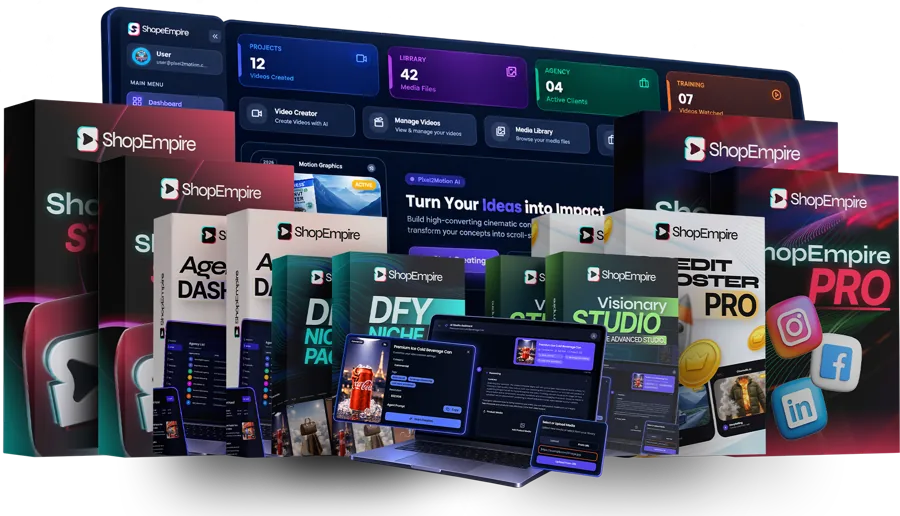
What the four Complete Suite upgrades add
- Credit Booster Pro: the bundle page lists 20,000 additional credits, bulk creation for up to 10 images, advanced storytelling scenes, automatic voice-over, removal of the ShopEmpire watermark from videos and member pricing on credit top-ups. This video-branding option is not the same as the separate software-reseller license. Vendor-stated component value: $997.
- DFY Niche Packs: 50+ prebuilt campaign templates across 10 niches, product tag copy, overlay scripts, opening hooks and copy-ready publishing schedules. Vendor-stated component value: $697.
- Visionary Studio: consistent AI brand characters, image-to-video and text-to-video tools, image upscaling/background removal and in-video inpainting. Vendor-stated component value: $1,497. Availability caveat: the expanded bundle details mark the consistent brand character, text-to-video, image upscaling/background removal and in-video inpainting as coming soon; image-to-video is listed separately. Confirm what is live before assigning these features a current value.
- Agency Dashboard: 10 client workspaces, client-branded videos, reporting, editable proposals and agency training/pricing guidance. Vendor-stated component value: $997.
Those dollar figures are the seller's stated component values, not verified separate checkout prices. The Complete Suite page says they are included in the bundle; it does not make the stand-alone value a guaranteed saving for every buyer.
Is the bundle worth it? At the checkout amount observed, the Complete Suite was $267. The extra features can make sense if you will use bulk generation, additional credits, ready-made campaigns or client workspaces. If you only want to see whether the basic photo-to-video process suits you, the $27 entry offers are a smaller commitment. Do not pay for a reseller license unless you actually plan to operate a branded software resale business.
The Starter checkout displays both $120 additions as optional bumps; accepting both with the $27 base would total $267 before tax. That combination is not equivalent to the Complete Suite: the Suite lists four production/agency upgrades and 30,000 credits, while the Reseller License and 120K Annual Credit Pack are separate offers. Compare the itemized contents, not just the headline price.
15. Conclusion
ShopEmpire's core idea is easy to understand: take the product photos that already exist, turn them into short video creatives and make publishing less manual. That may be a meaningful time-saver for faceless creators, small stores and client-service providers. Its strongest case is not “money while you sleep”; it is “less production friction between a product idea and a publishable clip.”
The entry checkout pages showed $27 for Starter and Pro, while Complete Suite showed $267. Because the bundle checkout's price and reseller-upgrade copy are inconsistent, confirm the exact credits, license, integrations, upgrade contents and final charge on the order page. The seller advertises a 14-day satisfaction guarantee, so read the current refund terms before deciding.
If the workflow solves a real content bottleneck for you, the next step is to check today's plan details and choose the smallest tier that meets the need. If it does not, a product video tool cannot compensate for an offer, audience or strategy that is not there yet.
16. FAQ: ShopEmpire Questions Answered
What is ShopEmpire and how does it work?
ShopEmpire is a product-video tool that uses product images to build short promotional videos. Its sales materials describe product discovery, templates, an AI scene assistant, affiliate-link handling and publishing options. Users still choose products, join affiliate programs and follow each platform's rules.
How much does ShopEmpire cost in 2026?
On the direct checkout pages reviewed on October 12, 2026, Starter and Pro each displayed a one-time price of $27 USD. Complete Suite displayed $267 USD; the dedicated White Label Reseller License and 120K Annual Credit Pack checkouts each displayed $120 USD. Complete Suite checkout copy also contains conflicting $297 and reseller-bump references ($97/$197), so verify the final itemized order total.
What is the difference between ShopEmpire Starter and ShopEmpire Pro?
Starter's checkout listed 5,000 credits, 50 templates, product tags and buy-now overlays, and publishing presets. Pro listed 10,000 credits, 100 templates, a commercial license, broader publishing destinations, overlay customization and priority rendering. Both checkouts displayed $27 when reviewed; compare the order details before choosing.
Does ShopEmpire publish videos to TikTok, Instagram, YouTube, Facebook and Pinterest?
The full ShopEmpire sales page advertises publishing or scheduling to TikTok, YouTube, Facebook, Instagram and Pinterest. Starter's checkout lists social publishing presets, while Pro lists all publishing destinations. Confirm current integrations and account permissions in your plan.
Does ShopEmpire guarantee affiliate income?
No. ShopEmpire sells software and video credits, not guaranteed sales. Earnings depend on affiliate-program approval, commission rates, product selection, audience reach, conversion, consistency and compliance with marketplace and social-platform rules.
Does ShopEmpire include commercial rights for client videos?
The ShopEmpire Pro checkout lists a commercial license for selling videos to clients. The Starter checkout summary does not list that right, so do not assume it is included with Starter unless the current order terms explicitly say so.
What is ShopEmpire's refund guarantee?
The seller's ShopEmpire sales materials advertise a 14-day satisfaction or money-back guarantee. Read the current refund terms at checkout and note how the 14-day period is calculated.
Is the ShopEmpire Complete Suite White Label Reseller License included?
The bundle FAQ says the White Label Reseller License is separate from the Complete Suite, which includes four named core upgrades and 30,000 credits. The checkout uses contradictory OTO numbering and reseller-add-on amounts, so treat it as separate unless it appears as a line item and confirm the charge.
Is ShopEmpire's white-label video feature the same as the White Label Reseller License?
No. The Credit Booster Pro upgrade describes white-label videos as removing the ShopEmpire watermark. The separate White Label Reseller License grants rights to rebrand and resell the software, according to its offer page. Check the specific license terms before reselling.
How does the ShopEmpire 120K Annual Credit Pack work?
The offer lists a one-time $120 USD payment for 120,000 total credits, delivered as 10,000 credits per month for 12 months. It says credits stack with an existing balance and no recurring subscription is charged.
Does ShopEmpire have customer testimonials?
The supplied sales pages did not provide independently verifiable named customer testimonials for ShopEmpire. This review does not invent user quotes. Treat general ecommerce video case studies as category examples, not proof of ShopEmpire customer results.
How can I contact ShopEmpire support?
The ShopEmpire launch materials list support@kvsocial.com as the support email. Check your latest account or receipt for current instructions.
Want to see my extra ShopEmpire bonus?
Use the button below to visit my bonus page. Check the current bonus details there before you decide what to claim.
See My ShopEmpire Bonus